Table of Contents
Optimize Imagery
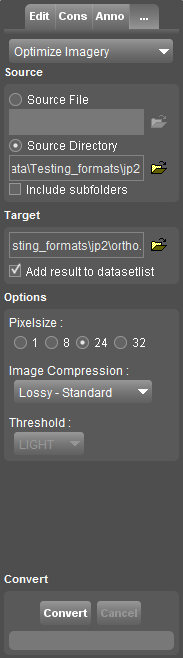
This pages describes the Orbit desktop additional tool “Optimize Imagery”.
 Map 2D > Tools > … > Optimize Imagery
The “Optimize Imagery” tool converts one or more supported image files into a single Orbit Multiresolution Image.
The “Convert Imagery” tool converts any supported image file into another image file, one on one.
By converting multiple images into one OMI, the performance in Orbit will increase enormously.
How to use
- Source
Define the source file or source directory. When using a source directory all supported image files of the selected directory (and optionally subfolders) will be used. It is advised to set the transparent color via an Orbit legend file for each individual image, see below “Transparent color in legend”. - Target
Adjust the target location and name to your preference. By default source name and location will be used as target.
When using a source directory only the target location must be defined. Use the optional flag “Reorganize in subfolders” to recreated to the folder structure when using a source directory combined with “Include subfolders”. - Options
The selected source will be converted into one Orbit multiresolution image. Review the compression options below.
Depending the selected image file format the according image (compression) options will be listed, see below. - Convert
Creating an OMI can take some time and requires disc space. The progress bar indicates the percentage of completion of the current multiresolution level. Level x+1 takes half the time of level x.
Options for compression
An omi is optimized for perfect performance in Orbit. Choose pixelsize and compression. For more information, see Orbit Multiresolution Image.
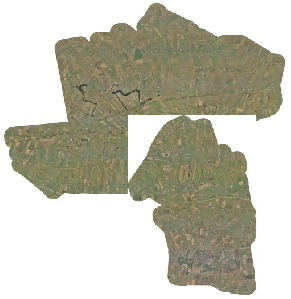
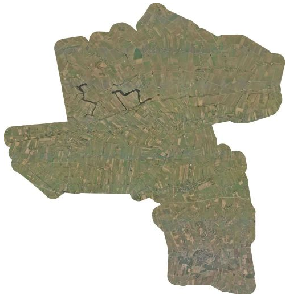
Transparent color in legend
When converting a directory of none tiled images it might be useful to set a transparent color for each individual image before processing, read more ...
| No Transparent Color | White Transparent Color |
|---|---|
 |  |