Table of Contents
Orbit Softcopy
Reference and guides for Orbit's photogrammetry solution Orbit Softcopy version X.
- Orbit Softcopy offers Stereo View & Edit integrated in OrbitGIS.
- The stereoview starts from a processed stereoproject (EO-file, camera calibration report, and images):
stereoproject coming from:
1. low altitude aerial (e.g. Orbit UAS Mapping Software)
2. high altitude aerial (e.g. Orbit Strabo Photogrammetry Software)
3. terrestrial imagery (e.g. Orbit Strabo Photogrammetry Software).
- The integrated editing tools of OrbitGIS making both GIS and Photogrammetry quite simple, intutitive and similar to operate. Registration of vector objects, adding construction points and lines, or editing created objects can be easilty done in 3D stereo.
- Orbit Softcopy is operated with a standard system mouse or specialized 3D mouse to control position and function keys to register data. Orbit Stereo allows stereoviewing and editing in Anaglyph, StereoGraphics and Strabox mode. The Anaglyph mode runs on every desktop without hardware requirements: it only requires cyan-red colored glasses.
- Orbit Strabo X, Orbit Softcopy, Orbit UAS Mapping, and Orbit StereoView are photogrammetric extensions to OrbitGIS. Open on the main toolbar 'extensions' and choose for Orbit Softcopy Photogrammetry Extension…
Orbit Softcopy Documentation

| Project | |
|---|---|
| Project Menu | Create, edit, or open recent stereoprojects. |
| New Project | Create a new stereoproject starting from EO file, camera calibration report, and imagery |
| Camera | Add, modify, or create a new camera starting from the Camera Calibration Report. |
| EO File | Prepare external orientation (EO) file for import |
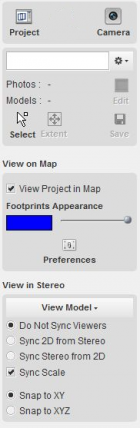
| View on Map | |
|---|---|
| View on Map | View project in OrbitGIS mapcanvas |
| View in Stereo | |
|---|---|
| View in Stereo | View project in Stereo Canvas |
| Softcopy Preferences | Preference settings for softcopy. |
| Stereo View Preferences | Use of contrast enhancement in stereo, view mode (anaglyph, stereographics or strabox mode, buffer mode). |
| Mouse Settings | Select type of mouse, activate different map functions of your mouse. |
| Stereoscopy | Introduction to stereoscopy. |
| Floating Mark | Introduction to the measuretool (i.e. floating mark) in stereoscopy. |
| Orbit GIS | |
|---|---|
| Orbit GIS Functions | Menu, main toolbar, dataset list, object inspection, mapcanvas. Use full functionality of Orbit software (e.g. add, create new dataset, workspace settings, etc.) |
| Installation | |
|---|---|
| Instal Menu | Download and install Orbit Softcopy |
| StereoView Screen | Install a screen for stereo/3D view: Anaglyph, StereoGraphics, Strabox |
| Strabox Screen | Install Strabox system |
| 3D Mouse | Install 3D mouse |
| License | License |
| Knowledge Base | How to use the Orbit knowledge base |
Latest Update
Orbit Softcopy Update 10.5 - April 9th, 2013