This is documentation of an archived release.
For documentation on the current version, please check Knowledge Base.
For documentation on the current version, please check Knowledge Base.
The File Menu

1. New Project...
- To start a new Strabo Project, select the 'New Project…' button.
- see also The Project Wizard that will guide you through the project creation phase step by step.
2. Open Project...
- This functions opens a File Selection box with which you can select a Strabo Project file.
- The Strabo Project file is a file with extension: '.spr'.
If you want to open a project while another project is in use, Strabo will ask the following question:
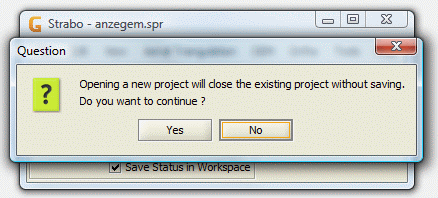
Press the 'No' button if you want to first save the project.
Press the 'Yes' button if you don't want to save the active project.

3. Recent Projects
- This function shows you a list of the most recently opened Strabo Projects.
Select one of them to open the project.


4. Save Project
5. Save Project as
6. Save Overview
continue with 'The Edit Menu'
Last modified:: 2019/03/25 11:36