AI-Detection: 3D Segmentation for Rails
This page is about AI-Detection jobs. It describes how to leverage an AI-Detector to automatically classify an OPC pointcloud and extract assets of interest (lines, points, boxes).
Step by step
- Log-in Bentley IMS and Accept.

- Set in Extract > AI-Detection.

- Choose an OPC pointcloud or a Mapping Resource on-boarding OPC pointcloud
- Set the Detector parameters on Pointcloud / 3D Segmentation and choose appropriate AI-Detector from AI-Library (if no AI-Detector available, please refer to AI-Library: Get access to AI-Detectors)
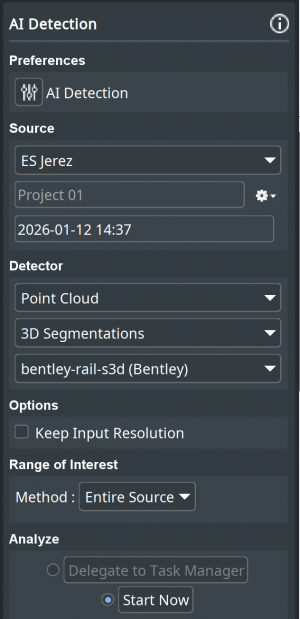

- Press Start Now
- Results are automatically loaded in main view.
- Classified OPC and potential assets can then be managed as any usual data.
- Results are saved by project

Last modified:: 2026/01/13 11:41