Table of Contents
What's New for 23.10
3DM Manage and Extract
New Features and Enhancements
Spatial Attributes for Asset Resources
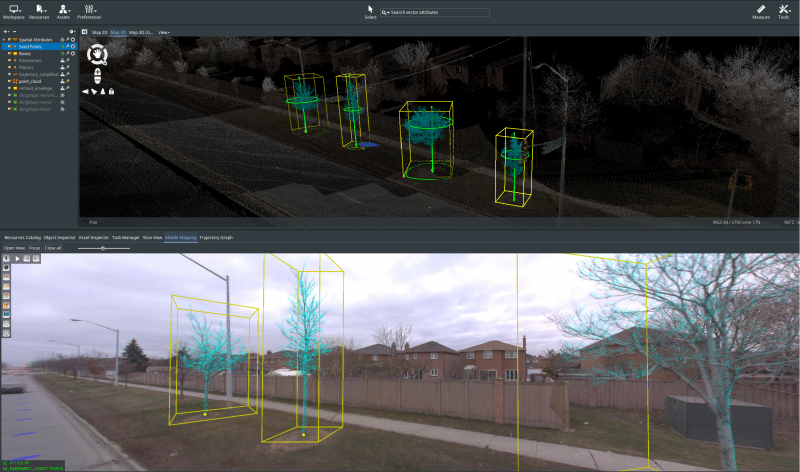
- The spatial attributes will additionally be saved per object within Asset Resources.
- A new feature “Merge Spatial Attributes” is now available. This allows a consolidated Spatial attributes file and a backup to be made from Asset Resources.
Point Cloud Selection for Asset Resources
- Asset Objects will now default to make OPS instead of OPC. A new configuration is added to Dataset Properties > Inspect to change the default settings.
- A logging file is made within an Asset Resource when using “Merge Point Cloud Selections” to identify respective OPS to Asset Objects.
- If extracted, Point Cloud Selections will be displayed at Verify Asset Objects.
Assets and Asset Resources
- Asset Recourses have a new tab, Asset Details, which contains relevant metadata associated with the extraction. The info contains:
- Snapshots
- Created Snapshots (Generate Data)
- Generated measure snapshots
- Manual created snapshots
- Spatial Attributes
- Point Cloud Selections
- Reference Point Cloud
- An “Open File Location” button has been created to navigate to Asset Resource 2.0 Generate Data Merge Point Cloud Selections.
- Point Cloud References and Mapping Resource References are added to the Catalog sidebar when using Asset Resources.
Classified Point Cloud handling
- New Tool “Point Cloud Classifications to Selections”
- New tool “Point Cloud Selections to Classifications”
Manage Mapping Resources
- Generate Orthos from Planars will now use photo position CRS.
- If enabled, Asset Objects will retain a proper single OPS per Asset Object.
- B3DM files can be added to the Resource Catalog.
Manage Generic Resources
- When converting to 3DTiles Mesh or Point Cloud, the default target CRS is set to 4978.
Reality Management
- Cesium 3D Point Clouds are now able to upload to Reality Management.
- A Range of Interest is now available for iTwin Capture Analysis Jobs.
- Colors within Classified Point Clouds can be changed via Dataset Properties > Classes.
- Single or Multiple E57s can be uploaded via Reality Data Management via Directory.
- The output from Generate Data > Panoramas from Point Cloud has been streamlined.
- Colorize Point Cloud by Time now defaults to use 10 images.
- Mapping runs will upload the most relevant imagery if runs contain both JPEGS and OMIs.
- The formats SLPK and i3S can be loaded into the Resource Catalog.
- An Image Naming with “By Sequence” or “By FOV-Pan-Tile” option is added in Panorama to Planar procedure.
- Applied workspace system units are properly represented in detectors parameter's output values.
- DEMs can now be used as a source input for both Contour Lines and Volumetric Analysis.
- The extension Contour Lines has been enhanced:
- A smoothing algorithm can be applied to achieve results from noisy point clouds.
- The default step increments within Contour lines will vary based on the Z range of the input source.
- An updated legend with Labels of the classes will be displayed within the dataset list.
- Merge Point Cloud Selections now additional save output directories with a default save location next to the referenced Point Cloud.
- Via Optimize > Mesh, an url has been added within the application to download the plugin.
- A new feature for mapping runs, Inject EXIF Headers, has been added into Generate Data.
- The symbology of Linear Reference measurements now has been enhanced, making it easier to identify perpendicularity.
- An “Opened” Filter is now in the Resource Catalog to easily browse to currently active data.
- A new feature called “Refine Envelope” is now available within Edit Mapping Resource.
- The Analysis Engine Sidebar has been overhauled:
- A “Verify your installation” button has been added, showing the necessary steps to use the Engine and Detectors.
- The layout has been updated to more clearly show Job, Resource Type, Task Type, and Detector.
- GPU AI Compatibility is added to the Analysis Engine preferences.
- Better display is provided to user open an error if Analysis Engine xmls cant read, have no tags, or Task Type and Subtask Type aren't possible.
- The output of Analysis Engine Jobs has been standardized.
- Manage and Extract can now read .onnx Analysis Engine detectors.
- Point Cloud to Panorama has been enhanced:
- Panorama photos created from Point Cloud are now automatically added into the Processed imagery folder.
- The updated results respect the original panorama folder structure.
- WFS definition methods have been enhanced for use of both “GET” and “POST” methods.
- Content Types have been updated to better reflect storage formats that can be more than one type (IE .3dtiles Mesh or .3dtiles Point Cloud Tiled)
- The Ground Control Points and Trajectory Adjustment extensions will now take the Primary Mapping extension into account.
- The Slice View can move along a Linear Reference when 3D Views are locked to a Linear Reference.
- Connect to Generic Resource is a single procedure which allows the possibility to connect to:
- Cesium 3D Tiles
- Cesium 3D Point Cloud
- Vector Database
- Web Feature Service**
- Web Map Service
- Web Map Tile Service
- Web Ready 3D Scalable Mesh
- Tools > Cluster Objects can now Cluster Boxes.
- ContextScene files can now be imported as multi-model OVF datasets.
- A new setting with mapping runs “refined.envelope.buffer” has been created for .omr files to define a Refined Envelope buffer
Usabilities
- Dependent Checkboxes will be deselected based on upon user's input in detection parameters.
- A warning tooltip will now highlight if you are converting a resource within the same directory.
- Error messages have been improved when importing Mapping Runs with e57 that do not contain photos or have a import structure errors.
- Image and Raster are now split into unique types within the Resource Catalog.
- The Range of Interest “Path” and “Area” now only display the updated interest when editing and the last coordinate will be preserved when panning.
- Objects locations are now displaying properly when loading Map 3D and Map 3D GL.
- The Georeference Tab now opens at first click within the Gereference Tool.
- The Georeference Tab takes the Reference 2D/3D Mapping zoom direction into account.
- The Clash Detection option “Position Shape on Path” now takes the 3D Zoom direction into account.
- Primary Line Datasets can be locked in the 3D View for Zoom Navigation.
- In Contour Lines, a drop-down list “Filter Level” will automatically show available levels within the point cloud dataset.
- The Main Toolbar Preferences has groups sorted alphabetically.
- The parameter “Point Cloud Level” is disabled if a DEM is selected as a source input.
- A status icon and warning will appear when optimizing images, indicating feedback on created imagery.
- If user encounters an error during Reality Management Upload, the error message will display as a pop-up.
- An updated warning will say “No objects selected to delete” when a user tried to delete objects that aren't selected.
- A progress bar is now shown if Analysis Engine results require conversions.
- In the 3DM/Reality upload sidebar, local resources are now refreshed if resources are added or removed from the Resource Catalog.
Layout
- A “Comments” field is added into the Analyze Engine Preference Panel
- Clearer feedback to user is provided for unfulfilled requirements to start Analysis Jobs.
- The iTwin Capture Analysis sidebar layout has been simplified.
- The system preferences layout has been reviewed and updated.
- Raster resources have an update icon.
- Lists within Sidebars now have a responsive height, and adjusted according to the items within the list.
- Drag-and-drop fields have a tooltip to highlight the use in Tools, Extensions, and Procedures.
- A dropdown list has been removed for the Analysis Engine > Ortho > 2D Segmentation.
- The alignment between the title and description of Mapping Resource > Generate data has been adjusted.
Tag
- Translations are now generalized to reduce custom translations.
- Manage and Extract extensions have been renamed to reflect iTwin Capture product references.
- A updated url has been added within the Analysis Engine Preferences to download detectors.
- Mapping Resource > Generate Data procedures have been reworded slightly and sorted alphabetically.
Bug Fixes
- Generate Ortho from Planar now properly completes.
- Fixed a bug when adjusting spatial vectors in lines via Verify Asset Resources
- Fixed a bug to remove Asset Inventory Item button “Add to Inventory” when Legacy Asset Inventory Item is not enabled.
- Fixed a bug when a DEM was created from Point Cloud, which created a small shift.
- Fixed a bug when uploading a resource with empty building and floor tags.
- Fixed a bug when to properly only upload OMIs if both OMIs and JPEG Images are within a Mapping Run.
- Fixed a to now properly create an OPS when using Pole Attachments with 1 click with Create Asset Resources.
- Fixed a bug to correctly apply mask when using Colorize Point Cloud.
- Fixed a bug that made an parent folder for USERDATAPATH.
- Fixed a bug to now properly apply Shapes to Clash Detection, Intensity Template 2D, and Traffic Signs.
- Fixed a bug to with Edit Objects not snapping to Vertices.
- Fixed a bug to properly end authoring of reality data upon upload.
- Fixed a bug that reset the Point Cloud legend tiling when switching to another point cloud dataset.
- Fixed a bug that still provides results for traffic sign measurements, even when Limit to Point Cloud Selection was enabled.
3DM Cloud
The 3DM Cloud includes the 3DM core and 3DM Viewer improvements.
New Features and Enhancements
- 3dtiles from Reality Management can be linked to the 3DM Cloud.
- The “building” metadata for resource groups is now implemented.
- Basemaps can now follow floor filters.
Bug Fixes
- Duplicate Publications will now properly retain Bookmarks.
- Fixed a bug to have classified point clouds classes retain same sequence ID as in Desktop.
- An unexpected error was fixed when navigating the Specs and Tags from Resources to Resource Groups.
3DM Publisher
The 3DM Publisher includes the 3DM core and 3DM Viewer improvements.
New Features and Enhancements
- The “building” metadata for resource groups is now implemented.
- Publisher supports improved attribute filtering for WFS 2.0 implementations.
Queries include:- IsLike
- IsEqualTo
- IsNotEqualTo
- IsLessThan
- IsLessThanOrEqual
- IsGreaterThan
- IsGreaterThanOrEqual
Usabilities
- Publications can now be created from edited Publications in the 3DM Viewer.
Bug Fixes
- Duplicate Publications will now properly retain Bookmarks.
- Fixed a bug that that created an invalid service URL when resetting the base URL for WFS and WMS.
- Fixed a bug to have classified point clouds classes retain same sequence ID as in Desktop.
3DM Viewer
The 3DM Viewer includes all 3DM Core improvements.
New Features and Enhancements
- Video Files can be stored inside mapping runs for Video Streaming.
- An “All Data” filter option is available within the Settings > Timeline.
- The Perpendicular distance to reference line has an added visual indication to help show perpendicularity.
- Overlayed Host Vector Data Resources from Plugins now have a display legend with tooltips and configuration options.
- Both Vector resources and Meshes can now be clipped on Slice View and 3D View.
- When available, a Refined envelope will be used for footprints and dynamic resources.
- The clipping from Slice View can be seen in the Reference View.
- A footprint legend is now available for Generic Resources.
- Which Resource Groups, its now possible to see the Bounding Box of Child Resources.
- Entire WFS datasets can now be queried in the Inspector > Search bar.
- The slice thickness within the Slice View has been increased from 200cm to 1000cm.
- Portuguese translations are now available within the 3DM Viewer.
- The default display of Annotations and Resources are now visible on the Reference View.
- There is improved speed performance on Geocoding with OVT resources.
- All Desktop basic measurement functions have been added into the Viewer.
The list includes:- Point: Height to ground
- Point: Drop to ground
- Point: Center of circle by 3 points on circumference
- Distance: Fixed Horizontal Distance parallel to Reference Line
- Area: Free rectangular area with 3 points
- Circle: Free circle by 3 points
- Circle: Vertical circle with 2 points (radius)
- Circle: Vertical circle with 3 points
Usabilities
Tag
- The wording within the Settings - Reference View has been updated.
- Translations were added into the web build.
Bug fixes
- Planar photo positions can now be searched.
- The center of dynamic resources is now taken into account as the focus position.
- Mesh data will render correctly on reference view after startup.
- Previous and next Image navigation is now properly working with Aerial Imagery.
- The Greek correction grid 2100 is now applied in the viewer.
- The Reference Plane Intersection measure technique option has been removed.
- Fixed an issue that caused a new 3D View to synchronize the Reference View to an unexpected location.
- Fixed a bug with to now properly overlay vector data in Spherical Image views.
- Fixed a bug for Footprints view depth to properly apply within 3D Views.
- Fixed a bug to now properly apply a language preference when updating a Publication.
- Fixed a bug to correctly display a mapping resources footprint color, if default color is changed.
- Fixed a bug to correctly apply the direction offset with Spherical Image views from 3D View.
- Fixed a bug that reversed the order of visible basemap displays from Reference view to 3D View.
- Fixed a bug to now properly render Streetlevel planar photo positions on Reference and 3D Views.
- Fixed a bug where Child Resources would close unexpectantly after geocoding.
- Fixed a bug where the Rotation function stops working if data are in Geocentric CRS.
- All resources with the selected building floor tag will now display when selecting “all loaded buildings”.
- Fixed a photo position search failure if photo position CRS are in a Geographic CRS.
3DM Viewer SDK
The 3DM Viewer SDK includes all 3DM Viewer improvements.
Usabilities
- Changing the viewer application style and returning to the login panel no longer requires a sign-in to the publisher again.
Bug Fixes
- Footprints of overlay objects are no longer visible inside the viewer.
- Fixed a bug where a retrieved measurement brought up duplicate result.
- Fixed a bug to properly apply the maximum system view depth on host vector data.
- Fixed a bug where parent resources could close if hidden by timeline or floor tag.