Table of Contents

Stitching Editor
After all the images, or a selection of images, has been orthorectified using the previous function, we can now start the creation of the mosaic. Therefore we need to select the 'Jigsaw' elements to put the final ortho mosaic together. This action is also called 'Stitching' or 'Creation of cutlines', with which you define the image-extractions of the individual orthorectified images, that will be used to be put together in the mosaic.
First select the folder containing the results of the previous function, the indivual orthorectified images of the project. After the selection of this folder the next application window will appear. It shows at the left side all the images available in the folder that has been selected above. At the right side you see a canvas which is empty at the moment. When the first stitch has been defined, the mosaic will be shown in the canvas area. There are also some menu functions that will be explained hereafter:


This is the 'Stitching Editor' who will help you find the correct stitches. The following menu functions are available:
Mosaic Menu
|
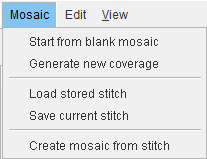
In the Mosaic Menu, there are 5 options:
|
- (1) Start from blanc mosaic
If you want to start the creation of the stitching from scratch, when a stitch configuration is loaded,
use this function to reset the Stitching function. This will clear the canvas and the selection of the images:

- (2) Generate new coverage
This function generates for you a set of stitches automatically. You will see the images selected at the left side that are used for the actual stitch, and the resulting mosaic drawn in the canvas area. Now you have the choice between accepting this first stitched mosaic and fine tuning the stitches manually using the available functions. To start first click 'edit mosaic':
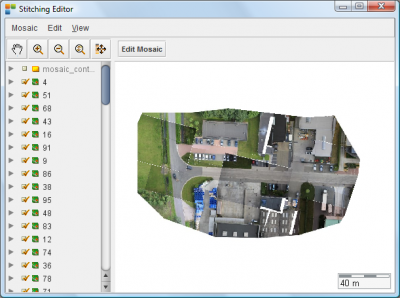
- left click: add a point
- left click on a point + move: move a point
- left click + ctrl: delete a point
- left click + shift: move a point (from one image, no snapping)
- ctrl + z: undo the action
- use the buttons to zoom in/out, pan, etc.
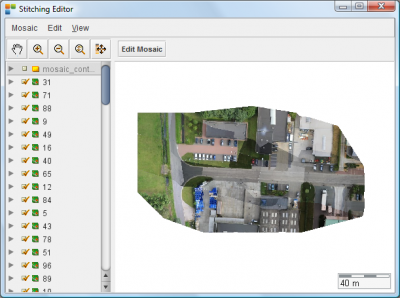
- tick on the layer 'mosaic_contours to visualize the cutlines (see image below).

- (3) Load stored mosaic
This function opens a previously saved stitch.
- (4) Save current mosaic
This function lets you save the stitch as you defined it up to now, accepted as being final. With this function you only save the 'Settings' to get this mosaic, the mosaic imagefile as such is not created yet. Therefore you need the next function.
- (5) Create mosaic from stitch
The function 'Create mosaic from stitch' opens a new dialog:
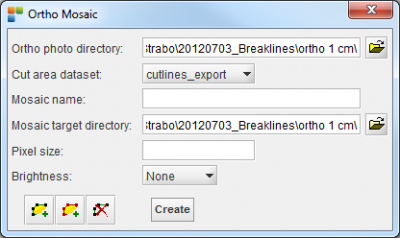
Please enter the following parameters before creation of the final mosaic is possible:
- Ortho photo directory: This is the folder already entered, containing the available orthorectified images. The folder will normally be filled in for you.
- Cut area dataset: The option list next to this item shows the content of the folder given above.
This folder normally shows also the dataset containing the stitches (or cutlines): please select this dataset.
- Mosaic name: Please enter the name for the final mosaic.
- Mosaic target directory: Please enter here the folder in which you want to save the final mosaic.
 Pixelsize: Please enter the GSD (pixelsize) for the final mosaic.
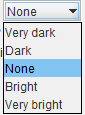
- Brightness: The final mosaic will be made and given a brightness following your choice.
Please select a brightness types.
- Fence: make a fence as a borderline to create your ortho.
- Create: The create button will now start the creation of the final mosaic image file.
It will take into account all given parameters. As long as the create button is disabled, the process is running.
Edit Menu
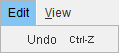
The 'Edit Menu' contains a toggle to Undo the manual actions done while repositioning the stitch corners.
View Menu
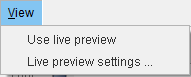
The 'View menu' is used to enhance the edit tasks, when you want to move a stitch point. When you edit a stitch point, all the lines that come together in that point will move along with your mouse movements. Selecting the 'Use Life Preview' toggle will fill-in with image details where the lines have been moved. Deselecting the 'Use Life preview' toggle will only redraw the lines, no image is rerendered.
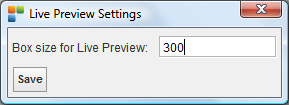
The 'Life preview settings' function will open the next dialog. Please enter the 'Box size for life preview'. This is the size of the area inside which the rendering of the images is done, expressed in pixels: