Back to Dataset Legend Editor
All Point Legend Parameters
Basic

| Parameter | Comment |
|---|---|
| Visibility | Tick to show symbols. |
| Library | Select a Orbit Symbol Library. |
| Transparency | Set the transparency percentage of the symbol from opaque to completely transparent. |
Symbol

| Parameter | Comment |
|---|---|
| Symbol | Pick a symbol from the selected symbol library. |
| Size | Enter a symbol size and select a size unit. The entered size will only be used if the “Draw icons 1:1” flag is disabled. Draw icons 1:1 will display the symbol with its real size as the symbol file is available in the Symbol Library. This flag overrules the entered size settings and selected size units. |
| Orientation | Set an absolute symbol orientation or reset to default. Classification or Direct Classes require float attribute value, counter-clockwise from North, or different depending on the symbol's default orientation. |
| Outline Color | Choose an Outline color for vector-based symbols, use the Color Picker. |
| Fill Color | Choose a fill color for vector-based symbols, and use the Color Picker. |
Shadow
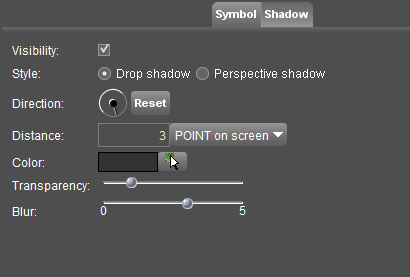
See shadow settings.
Last modified:: 2026/07/16 17:53