For documentation on the current version, please check Knowledge Base.
Point Cloud Selections to Classification
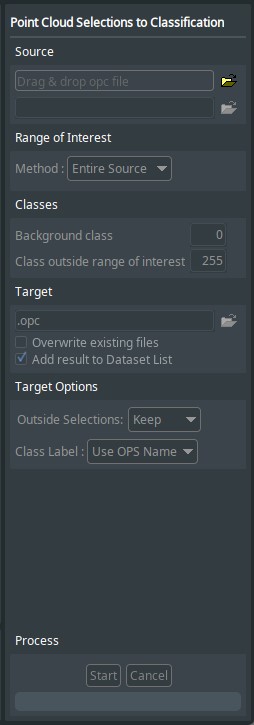
This page describes the desktop tool “Point Cloud Selections to Classification”.
 Tools > Point Cloud Selections to Classification
Concepts
A point cloud selection define a selection of points from the point cloud. This tool creates a classified point cloud from the given selections of points. A classified point cloud contains a segmentation/classification class per point.
Sidebar
Source
In the first input text box, select a source OPC point cloud file via drag & drop or browse to the file location.
In the second input text box, specify the location of the selection files. But default the directory of the point cloud file is preset, and any point cloud selection files in this location will be listed. A different directory can be selected via drag & drop or browse to the location.
Range of Interest
Define the range of interest for the classified point cloud.
Classes
The selections from the source directory are listed here. Class number per selection can be edited in the corresponding text field.
Background class: defines the class to give to points of background.
Class outside range of interest: all points outside area of interest will receive this class. If range of interest is 'Entire Source' there will be no points outside area of interest
Target
Define target point cloud file name.
Target Options
Outside Selections: choose what happens to class of points outside the selections given. Points in the selections given will get class defined in block Classes, points outside these selections can either keep original classification or be set to background.
Class Label: select how class label is defined. Class labels are easily customised via Dataset Properties of a classified point cloud.